

Give each field a clear meaning
Define customer and internal reference columns with your team. Treat codes as text where leading zeros or punctuation matter.
Keep the code printed for a customer in its own column, separate from the kit or product code it belongs to, so correcting one leaves the other as it was.
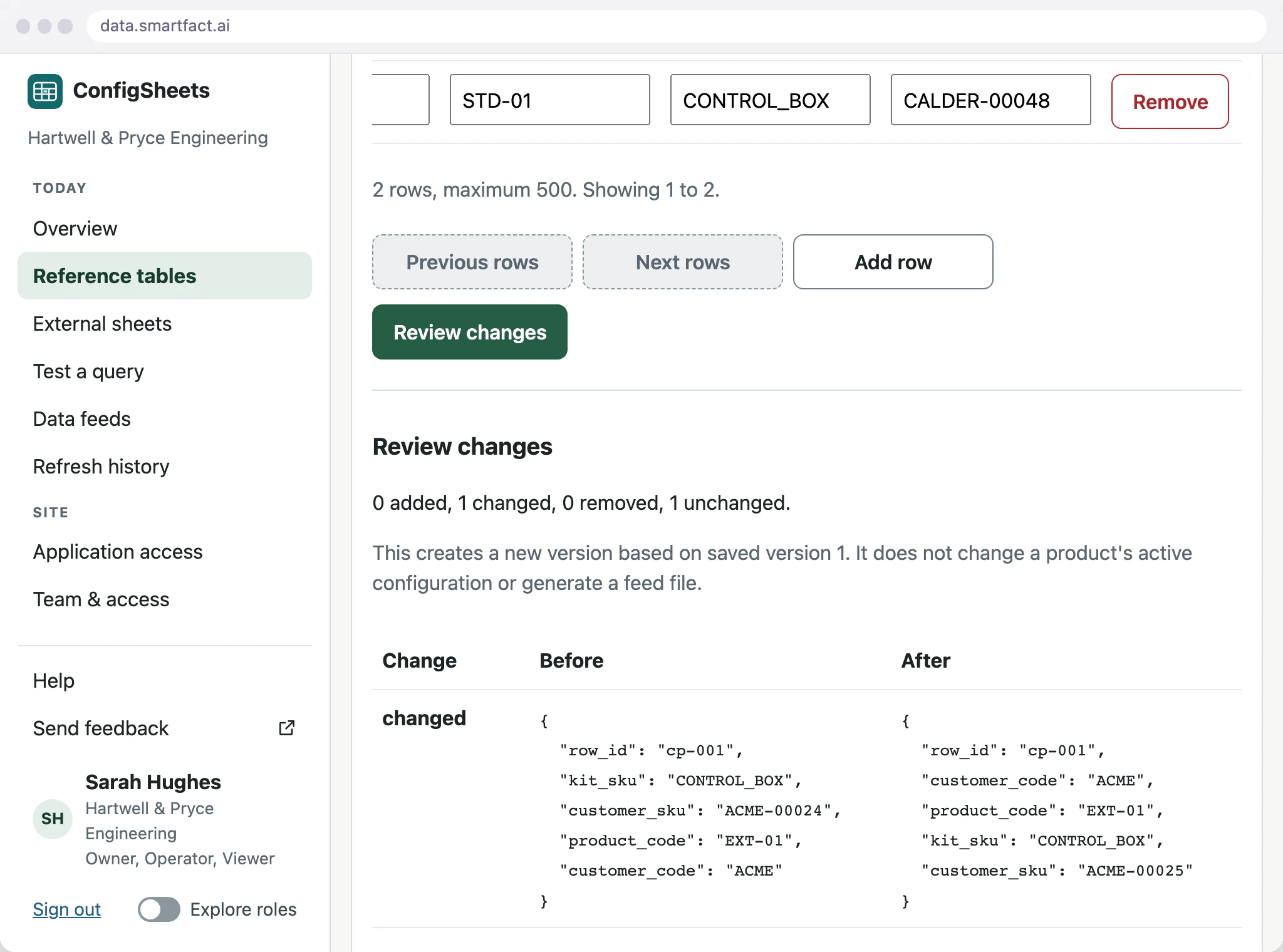
Review a change before saving it
Edit in the grid or paste a set of rows. Review lists what was added, changed, removed and left unchanged, with the before and after values. Save a new version with a reason that explains the change; the earlier version stays available.
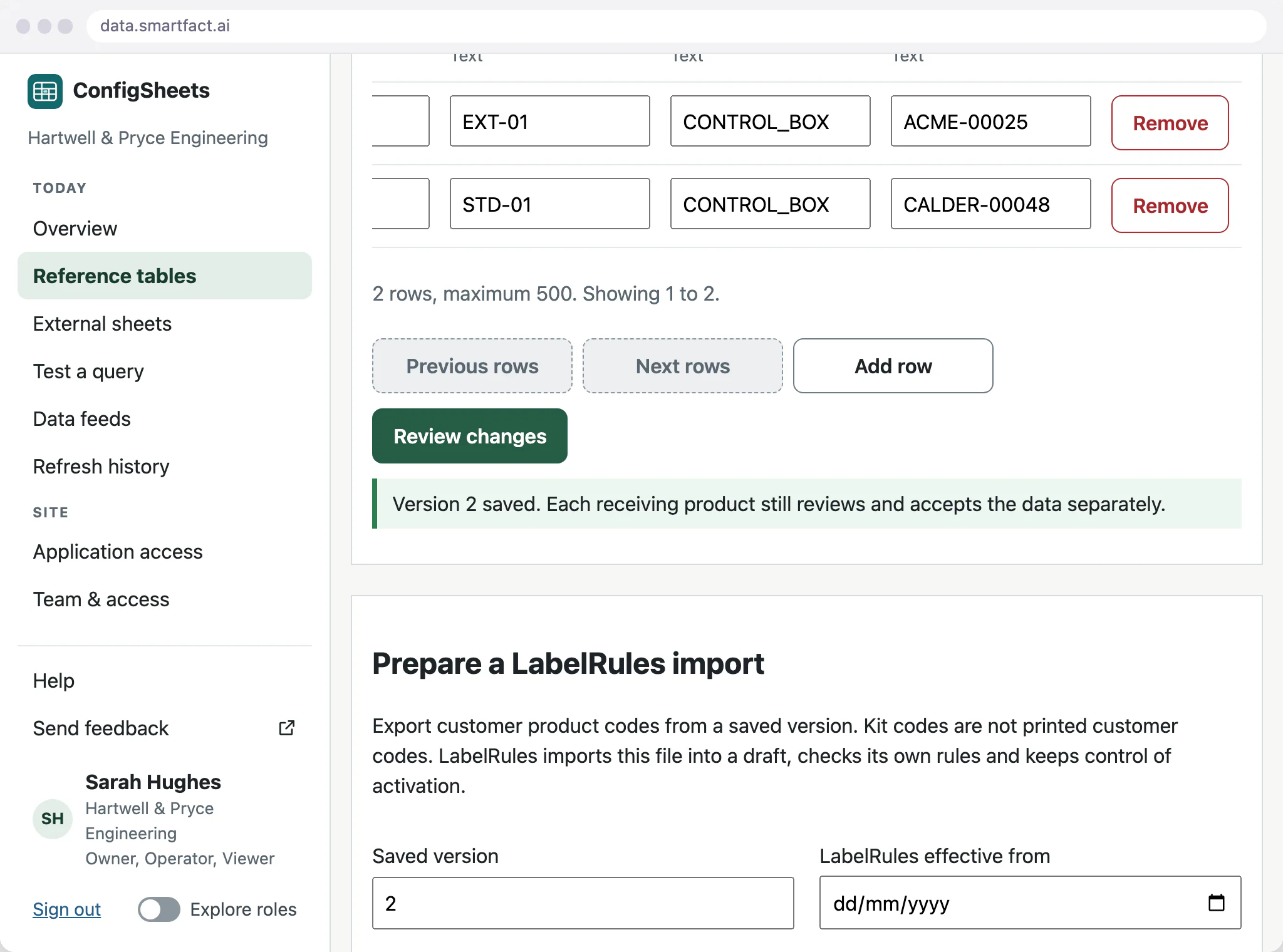
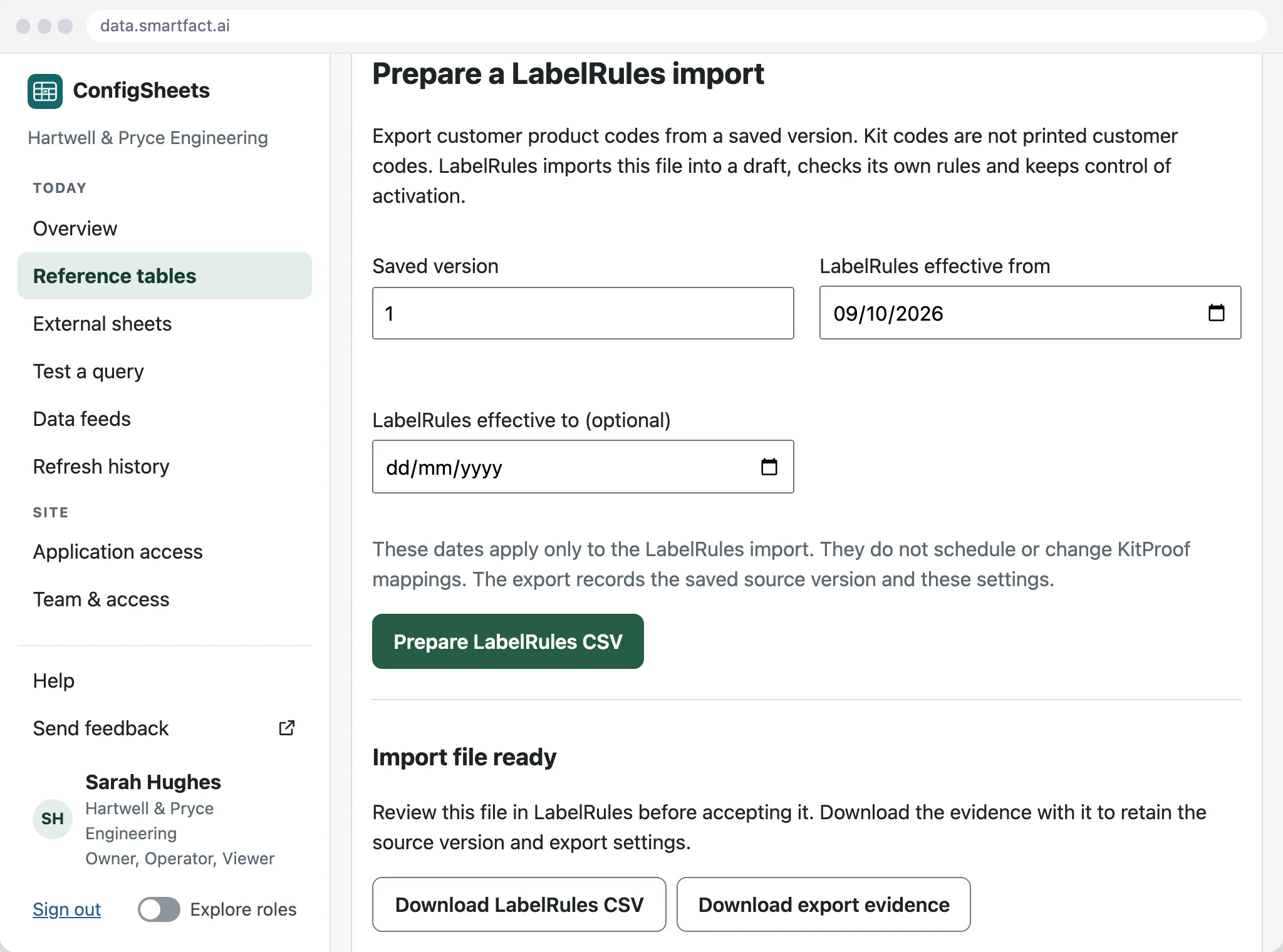
Prepare the output deliberately
Pick a saved version and prepare the LabelRules file. ConfigSheets confirms that the export evidence matches the file, and both are downloaded together. LabelRules reviews and activates the import itself, so a label already in use never changes just because the table was saved. An agreed KitProof feed follows the same pattern.
What SmartFACT Data does not do
- Decide which label a code appears on. LabelRules applies its own reviewed rules to the values.
- Change the receiving product. LabelRules and KitProof review and accept each file themselves.
- Connect other software on its own. A live link to another system is a paid integration scoped with you.
- Hold stock records or manufacturing rules.
Common questions
What kinds of data can it hold?
Shop orders, customer and supplier codes, lookup values and the structured inputs your SmartFACT products need. Together we set the fields and test them with representative values. It is not a stock ledger, and it does not hold product manufacturing rules.
Do we need Google Sheets?
No. A sheet upload, a pasted block of rows or the grid itself is enough, and once saved the table stands on its own without the original file. A Google Sheet kept live and connected counts as a paid integration, scoped with you.
Start free at one station and pay when you grow. While SmartFACT is in early access, we set your first workflow up with you.


