

Maintain the table in ConfigSheets
Start with defined columns and an initial set of checked rows, uploaded as a sheet, pasted or entered in the grid. A live Google Sheet is not required.
Keep earlier versions available
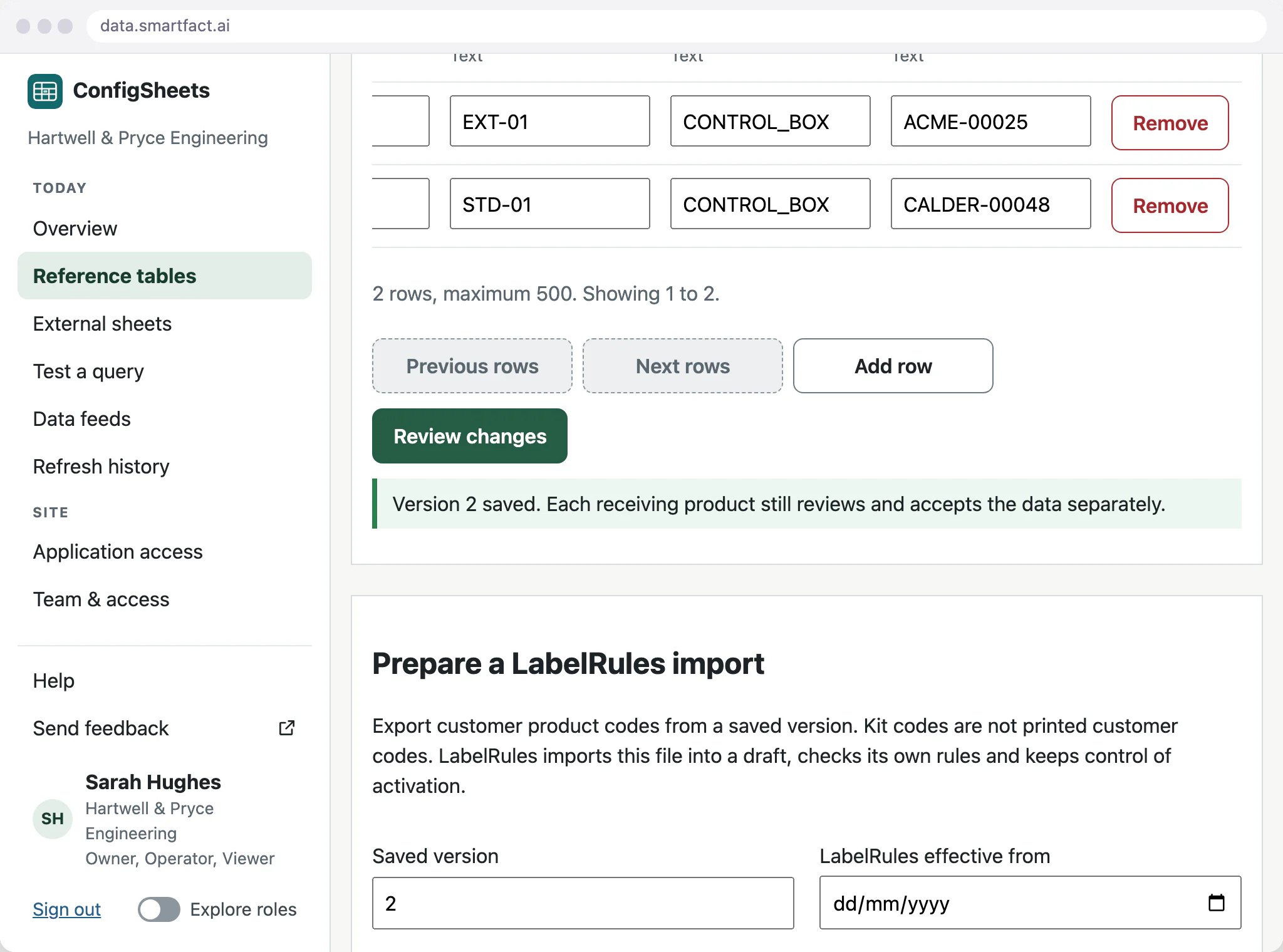
Every saved change adds a version with its reason. When a label reference or a generated job comes out differently, open the earlier version and compare the values.
What if two people edit the same table?
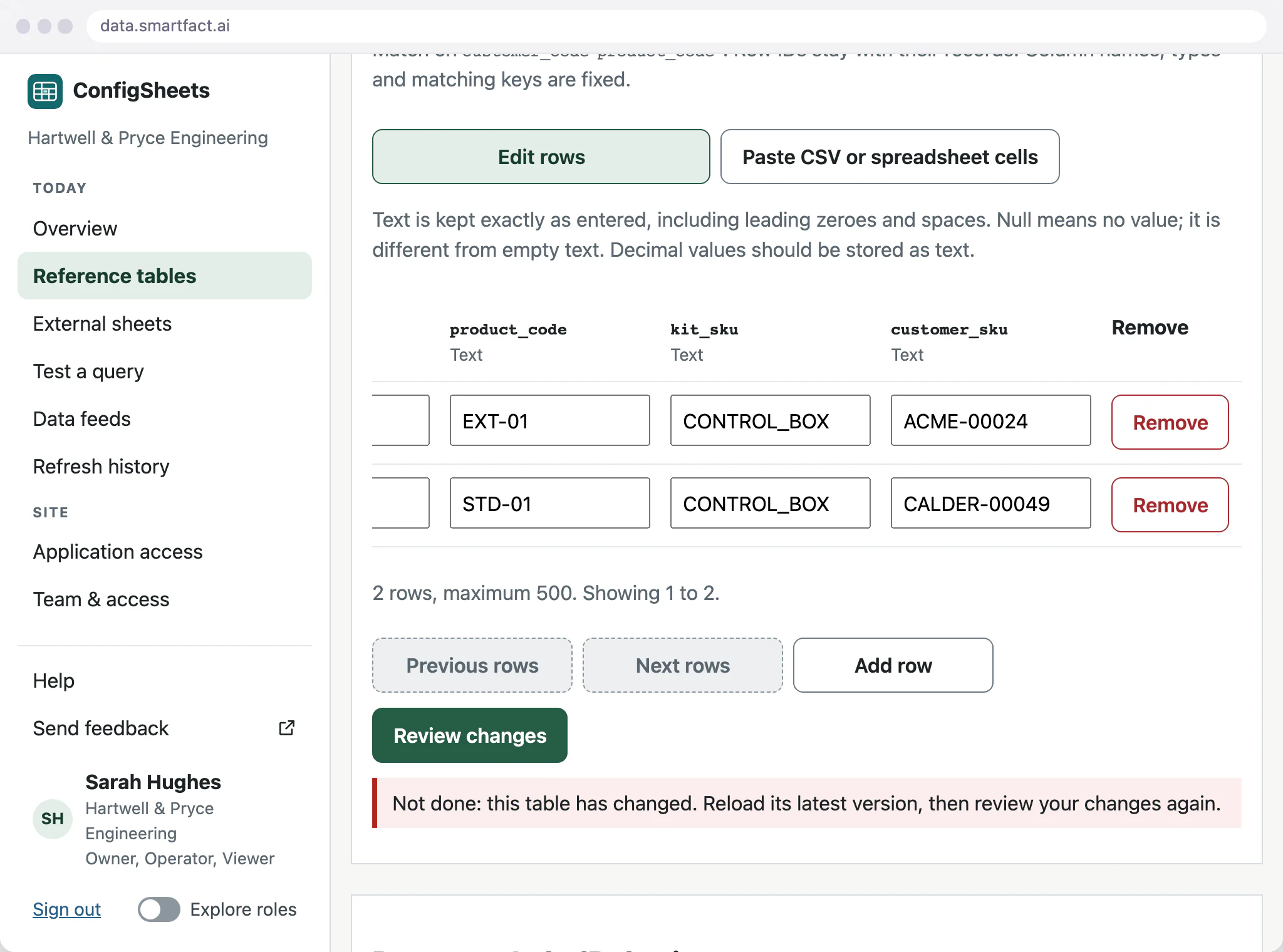
Every draft notes the version it was started from. If a colleague saves a newer version in the meantime, review turns the older draft away, so their work is not overwritten. Keep your draft, compare it with the latest table, then reload and review a new proposal.
Keep the receiving decision separate
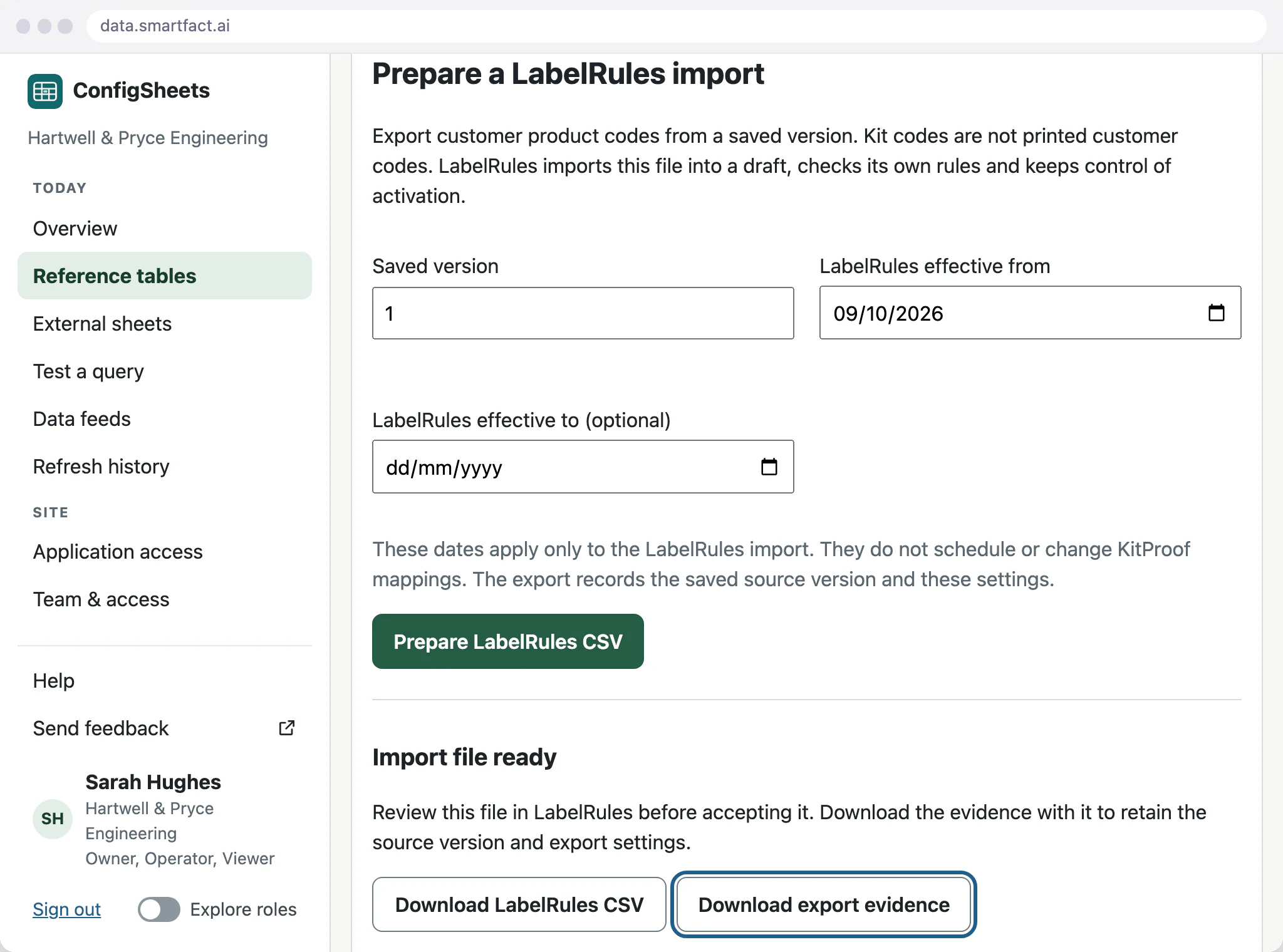
A LabelRules export comes from the version you select, and its evidence records that version and the export settings. A KitProof feed keeps its input evidence and job revisions. The receiving product keeps its own review, acceptance and recovery controls.
What SmartFACT Data does not do
- Activate data in another product. Saving a table changes nothing in LabelRules or KitProof until they accept a file.
- Publish data. Saving or exporting a table does not make it public.
- Connect other software on its own. A live link to another system is a paid integration scoped with you.
Common questions
Does saving a table immediately change production?
No. A save only adds a table version. Preparing a supported output is a separate, deliberate step, and the receiving product still runs its own review and activation. Exports made earlier, and KitProof files already generated, stay linked to the versions that produced them.
Start free at one station and pay when you grow. While SmartFACT is in early access, we set your first workflow up with you.


